Fists Of Ouchie Saturn

Fists Of Ouchie Saturn 1.1

This version adds two new characters from the original js version. One of the new characters you may have seen before if you played older versions but one is new.

Attachments

  • fists shot 1.png
    fists shot 1.png
    835.3 KB · Views: 0
  • fists shot 2.png
    fists shot 2.png
    589 KB · Views: 0
  • fists shot 3.png
    fists shot 3.png
    753.2 KB · Views: 0
This version will be the closest to the js version. new versions after this one will have new features.
Big changes to graphics, combat, blocking, and corner cutting is working the way I want it to now.

version 1.0 is getting pretty close to being done I just need to fix one of the level's out of bounds collision, add menu graphics, and take away the 2 new characters(this is just to make 1.0 version very close to the original game, I'll release version 1.1 along side it with the new characters in that one)

CONTROLS:
control note:
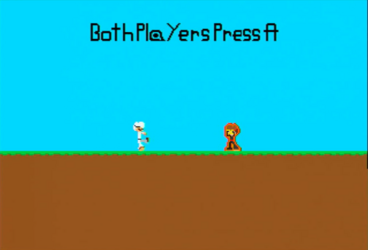
When players are floating in the middle of the screen that is the test menu both player must press A to start a round but while in the test menu pressing start will change your character each player has two characters to select from.

Dpad moves left and right
A jump or ready to start round
B punch
C, Z, L, R block
X, Y kick
Start(while in menu mode) changes character

There is now combat in the game!
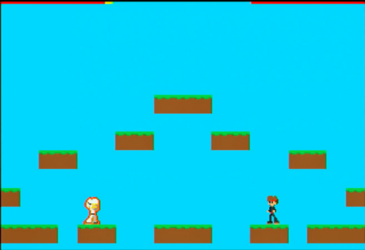
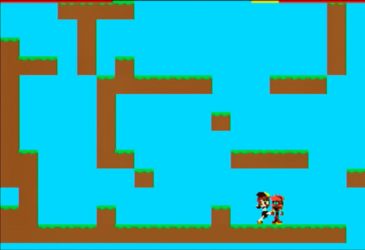
the combat is not fully complete especially the block it damages you way to fast and you can still move while blocking. The cyan background used to go out further then my draw area but that is now fixed. the controller bug is fixed (you can now use port 2 instead of multitap) health is draw with a very thin line on the top of the screen (that will change). and there is a start to a winning losing screen which the game starts on (it just draws the players close to the center of the screen with poses, punching is winning, knockout is losing).

READ BEFORE PLAY: when both players are floating in the middle of the screen a round has not started yet both player have to be PRESSING (not press) A to start around. if you want to change the level have player one press z.

Controls:
dpad side to side
A jump
B punch
L and R block
X kick
Player one Z changes level
Note other buttons were used for testing sprites.

This game is sill needs a lot of work but I think I'm getting close to 1.0 which will be when all the stuff from the js version is added after that I'll be numbering 1.something for new features that were not in the original.
Back
Top