Battle Garegga (Japan) (Force English Menus) v1.0
patch by KoolFiller.
Original Patching scripts by Derek Pascarella (ateam)
(Thanks!)
Requires "Battle Garegga (Japan)" Redump compatible image
Instructions
------------
1. Place the disc image into the "redump_original" folder.
2. Run "apply_patch.bat"
3. Your patched game will be in the "patched" folder
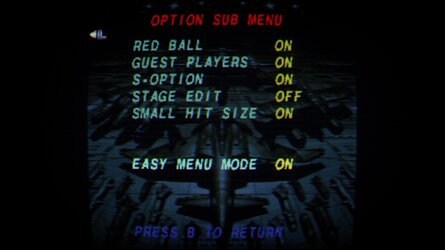
Fans of Battle Garegga will likely know that the game contains a toggle in the second options menu,
at the bottom of the page, that changes the menus to English. The toggle is called "Easy Menu Mode".
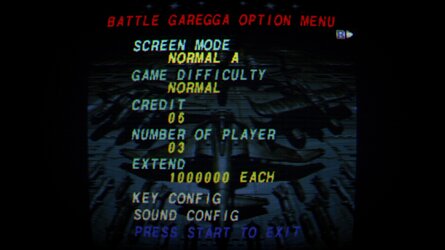
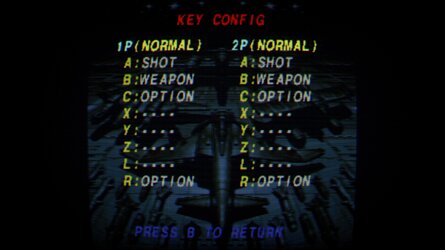
This patch forces the game to use the English menu mode, so no one ever has to navigate the Japanese language menus to turn it on.
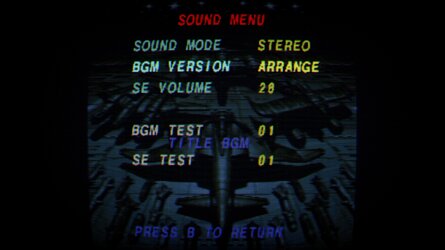
The hack should work great with my alternate soundtrack patches. If you want you can even take the xdelta patches from there, and drop them in the xdeltas folder here, and patch both hacks at the same time. The "Force English Menus" patch doesn't touch CD audio tracks, and the alternate soundtrack patches don't touch the data track. (Just remember if you do, you *MUST* select the "ARRANGE" BGM option in the sound config menu, for the alternate soundtracks.)
patch by KoolFiller.
Original Patching scripts by Derek Pascarella (ateam)
(Thanks!)
Requires "Battle Garegga (Japan)" Redump compatible image
Instructions
------------
1. Place the disc image into the "redump_original" folder.
2. Run "apply_patch.bat"
3. Your patched game will be in the "patched" folder
Fans of Battle Garegga will likely know that the game contains a toggle in the second options menu,
at the bottom of the page, that changes the menus to English. The toggle is called "Easy Menu Mode".
This patch forces the game to use the English menu mode, so no one ever has to navigate the Japanese language menus to turn it on.
The hack should work great with my alternate soundtrack patches. If you want you can even take the xdelta patches from there, and drop them in the xdeltas folder here, and patch both hacks at the same time. The "Force English Menus" patch doesn't touch CD audio tracks, and the alternate soundtrack patches don't touch the data track. (Just remember if you do, you *MUST* select the "ARRANGE" BGM option in the sound config menu, for the alternate soundtracks.)