GDMenu & OpenMenu HD Theme Manager (All-In-One Package)

GDMenu & OpenMenu HD Theme Manager (All-In-One Package) v1.31b

RazorX updated GDMenu/OpenMenu HD Theme Manager (All-In-One Package) with a new update entry:

GDMenu HD Theme Manager (All-In-One Package)

Update (08/01/2026)

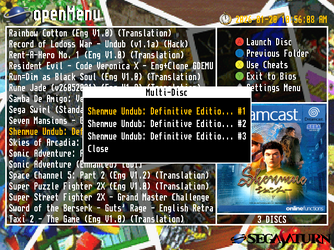
  • Updated openmenu to have virtual folder support as well as longer game names and scrolling text. (thanks to ateam)
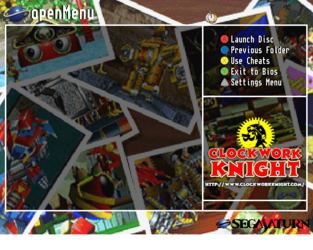
  • Updated my theme manager to support themes for the virtual folder style layout.
  • Added a couple of folder themes online.
  • Added openmenu dat tool to the 'Optional' folder.
  • Added pvrtool to the 'Optional' folder.
  • Added a new template for folder style themes.
  • Added a new template to create a folder style...

Read the rest of this update entry...
 
RazorX updated GDMenu/OpenMenu HD Theme Manager (All-In-One Package) with a new update entry:

GDMenu HD Theme Manager (All-In-One Package)

Update (08/01/2026)

  • Updated openmenu to have virtual folder support as well as longer game names and scrolling text. (thanks to ateam)
  • Updated my theme manager to support themes for the virtual folder style layout.
  • Added a couple of folder themes online.
  • Added openmenu dat tool to the 'Optional' folder.
  • Added pvrtool to the 'Optional' folder.
  • Added a new template for folder style themes.
  • Added a new template to create a folder style...

Read the rest of this update entry...
 
Last edited:
RazorX updated GDMenu/OpenMenu HD Theme Manager (All-In-One Package) with a new update entry:

GDMenu HD Theme Manager (All-In-One Package)

Update (11/01/2026)

  • Updated the old pre-applied themes as they were causing issues.
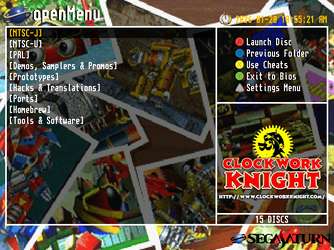
  • Updated my theme manager to add normal OpenMenu themes.
  • Updated my Preview Generator to support both OpenMenu and OpenMenu Folder Style themes.
  • Removed the template for creating a folder style theme preview image now that my Preview Generator app can do that.
  • Did a bunch of bug fixes.
  • Started adding code for the next release of OpenMenu from ateam...

Read the rest of this update entry...
 
Last edited:
Hi guys! GDMenu HD Theme Manager automatically updated to 1.29 and I can't get past this error on Step 2 of the OpenMenu Theme when I finalize on my Windows 11 PC...
Any fix for me at all?
crash.jpg
 
RazorX updated GDMenu/OpenMenu HD Theme Manager (All-In-One Package) with a new update entry:

GDMenu & OpenMenu HD Theme Manager (All-In-One Package)

Update (16/01/2026)


Updated alot with this release so the full release notes are here: Pastebin
A brief summary and i do mean brief so please checkout the full release notes, Updated GDMENU Card manager to v1.1, Updated my GDMenu & OpenMenu HD Theme Manager quite a bit including adding a new button that will give you recommended game id's to use and the covers for those have been added to the box.dat, Updated all...

Read the rest of this update entry...
 
Hi guys! GDMenu HD Theme Manager automatically updated to 1.29 and I can't get past this error on Step 2 of the OpenMenu Theme when I finalize on my Windows 11 PC...
Any fix for me at all?
version 1.30 just dropped and it's a big one, so i'd download the full version of that and enjoy 🙂
 
RazorX updated GDMenu & OpenMenu HD Theme Manager (All-In-One Package) with a new update entry:

GDMenu & OpenMenu HD Theme Manager (All-In-One Package)

Update (17/01/2026)

  • Updated the Custom themes option.

Now when you want to add your own Custom theme to test, Simply take your main THEMENAME.png and your preview THEMENAME.jpg and give them a suffix to dictate how my theme manager treats them
for example if you add ONE of the following:
_Standard
_HD
_OpenMenu
_Folders
to the end of the names just before .png or .jpg, My theme manager will treat it as such, For example if you add...

Read the rest of this update entry...
 
Last edited:
did a small update that fixes the themes updater so it now both downloads the conf files as well as the missing themes in one go like it used to.
 
Last edited:

Attachments

Last edited:
please could you just provide the raw png file for the theme and i'd be happy to add it to my theme manager for people to use, in the format you've provided i can't add it
Hi, right there in the post the last image is the raw PNG file.

If there is something else you need could you give me an example please?
 
Update (20/01/2026)
  • Updated my 'Modern Sleek - Green' theme.
  • Updated almost all of the preview images.
 
Hi, right there in the post the last image is the raw PNG file.

If there is something else you need could you give me an example please?
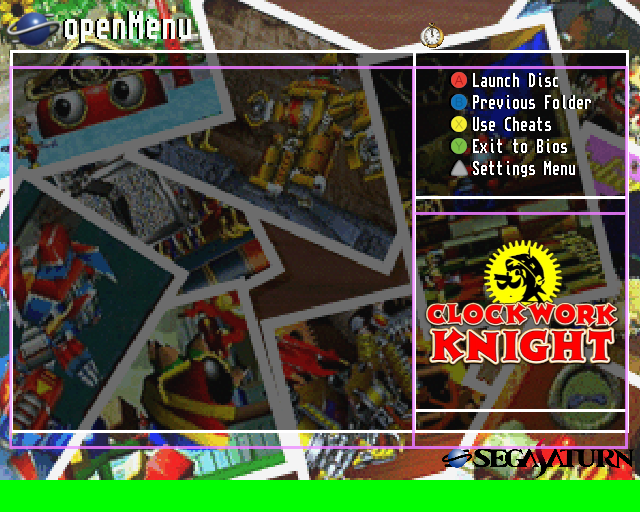
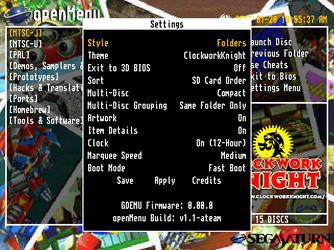
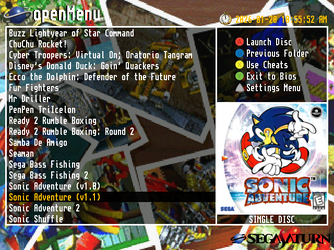
i found it, unfortunately you're using the old template/layout, when i try to use it as is nothing lines up.
the purple frame is the new layout overlaid on top of your theme.

Clockwork-Knight.png


please use the very latest all in one package by me which includes the template and all the new apps, settings, openmenu etc
you can use my theme preview generator to see for yourself, just place your theme in Assets\Custom\Clockwork Knight_Folders.png
 
i found it, unfortunately you're using the old template/layout, when i try to use it as is nothing lines up.
the purple frame is the new layout overlaid on top of your theme.

Clockwork-Knight.png


please use the very latest all in one package by me which includes the template and all the new apps, settings, openmenu etc
you can use my theme preview generator to see for yourself, just place your theme in Assets\Custom\Clockwork Knight_Folders.png
Hi, I used Template 1.1 right from the Github Repo at openMenu-Virtual-Folder-Bundle/theme_template at main · DerekPascarella/openMenu-Virtual-Folder-Bundle.

The THEME.INI file included with my theme has the correct locations for all the text and images. I am also using the latest OpenMenu, as I was one of the testers.
 
Back
Top