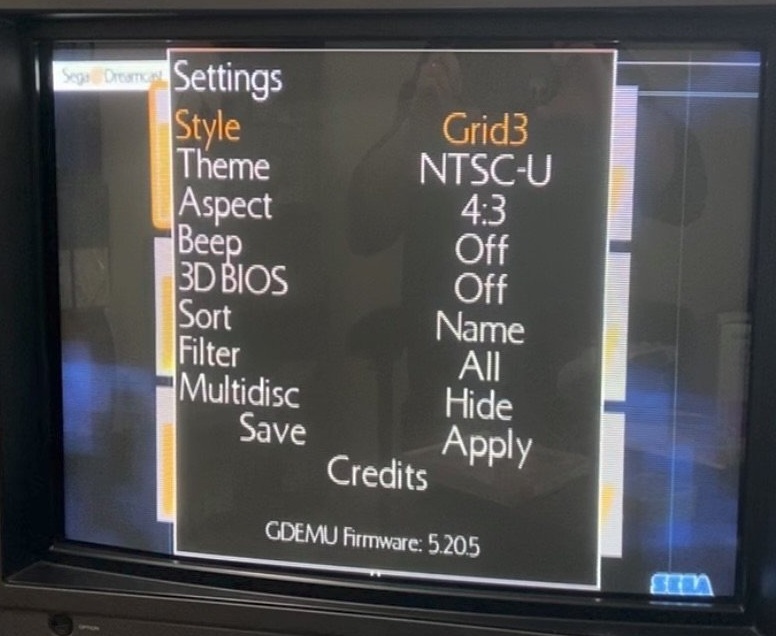
GDMenu/OpenMenu HD Theme Manager (All-In-One Package)

GDMenu/OpenMenu HD Theme Manager (All-In-One Package) v1.26a (fix)

RazorX updated GDMenu/OpenMenu HD Theme Manager (All-In-One Package) with a new update entry:

GDMenu HD Theme Manager (All-In-One Package)

Update (14/03/2025)
  • Disabled changing the cursor color for now as there seems to be an issue that i can't find right now causing gdmenu to black screen, This will only effect people who still use gdmenu and choose to customise the font color but i've disabled it for now, Changing the other colors still work though.
  • Added an extra check at the end of the process to make sure 1ST_READ.BIN is preset in the gdmenu folder as when not ran as administrator this can...

Read the rest of this update entry...
 
RazorX updated GDMenu/OpenMenu HD Theme Manager (All-In-One Package) with a new update entry:

GDMenu HD Theme Manager (All-In-One Package)

Update (08/08/2025)
  • Removed support for the GDMENU_SD manager as there is just no point in supporting that anymore when you can use GDMenu Card Manager to achieve the same, It's also easier on me as i don't have to support two managers that require two different methods for the bin file alone.
  • The black screen issue people were having with gdmenu should now also be fixed, I found what i believe was causing it and tested multiple themes on gdmenu with multiple...

Read the rest of this update entry...
 
RazorX updated GDMenu/OpenMenu HD Theme Manager (All-In-One Package) with a new update entry:

GDMenu HD Theme Manager (All-In-One Package)

Update (10/08/2025)
  • Removed support for the GDMENU_SD manager as there is just no point in supporting that anymore when you can use GDMenu Card Manager to achieve the same, It's also easier on me as i don't have to support two managers that require two different methods for the bin file alone.
  • The black screen issue people were having with gdmenu should now also be fixed, I found what i believe was causing it and tested multiple themes on gdmenu with multiple...

Read the rest of this update entry...
 
added three new simple themes:

Covers Theme (PAL)
CDJqlXBl.jpg


Covers Theme (USA)
FUhMZGol.jpg


Covers Theme (JAP)
qBcVjP3l.jpg
 
RazorX updated GDMenu/OpenMenu HD Theme Manager (All-In-One Package) with a new update entry:

GDMenu HD Theme Manager (All-In-One Package)

xUgMWDN.png


Update (13/08/2025)

Added a few GDMenu only options for those that still use it, These options allow you to even further simplify your theme/setup by allowing you to do the following:
  • Hide the disc image that shows up for each game.
  • Hide the game info for each game.
  • Move the game list to the center of the screen, Which in combination with the other options allows you to...

Read the rest of this update entry...
 
hi there,

I downloaded the latest version but on Windows 11, it says "GDMenu HD Theme Manager is currently running, Close it and try again" even though I had just rebooted and had not yet launched the app. The other apps (Updater, Theme Preview etc) work fine.
 
hi there,

I downloaded the latest version but on Windows 11, it says "GDMenu HD Theme Manager is currently running, Close it and try again" even though I had just rebooted and had not yet launched the app. The other apps (Updater, Theme Preview etc) work fine.
i was still in the process of updating everything at the time, please download it again, then maybe just run the # updater.exe then it should download and set everything correctly.
let me know if it now works thanks.
 
No luck, unfortunately. Behavior on my Windows 11 machine is exactly the same - the message about already running.

Weirdly, I tried my Windows 10 machine, and running "GDMenu HD Theme Manager.exe" results in a dialog box saying "Software is up to date" (just like running updater.exe) - but then nothing else happens, I click OK and the app never launches.
 
No luck, unfortunately. Behavior on my Windows 11 machine is exactly the same - the message about already running.

Weirdly, I tried my Windows 10 machine, and running "GDMenu HD Theme Manager.exe" results in a dialog box saying "Software is up to date" (just like running updater.exe) - but then nothing else happens, I click OK and the app never launches.
ok let me do a quick update
 
No luck, unfortunately. Behavior on my Windows 11 machine is exactly the same - the message about already running.

Weirdly, I tried my Windows 10 machine, and running "GDMenu HD Theme Manager.exe" results in a dialog box saying "Software is up to date" (just like running updater.exe) - but then nothing else happens, I click OK and the app never launches.
try that, download the whole thing and replace everything
 
nice, that has fixed things on my Windows 10 machine, I might not get a chance to test my Win 11 machine again until next week (guests arriving for the weekend tomorrow) but I will try it and get back to you, at least for now I have a workaround, thanks
 
Back
Top