GDMenu & OpenMenu HD Theme Manager (All-In-One Package)

GDMenu & OpenMenu HD Theme Manager (All-In-One Package) v1.31b

Hi, I used Template 1.1 right from the Github Repo at openMenu-Virtual-Folder-Bundle/theme_template at main · DerekPascarella/openMenu-Virtual-Folder-Bundle.

The THEME.INI file included with my theme has the correct locations for all the text and images. I am also using the latest OpenMenu, as I was one of the testers.
this is what the setup looks like:
PSO.jpg

you can of course tweak the position of stuff etc but to have themes on my theme manager for everyone to use with 'default' settings they need to follow a standardized layout as shown above.

that's not to say you can't change it how you want but currently i have no way of including custom settings with each theme, so each theme follows the default layout as given to me by derek.

and with custom themes you have in the custom folder you can change the ini settings within my app to suite your needs.
 
i found it, unfortunately you're using the old template/layout, when i try to use it as is nothing lines up.
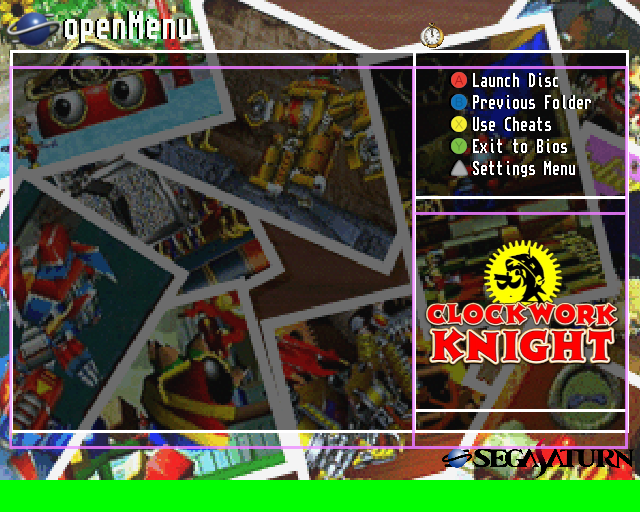
the purple frame is the new layout overlaid on top of your theme.

Clockwork-Knight.png


please use the very latest all in one package by me which includes the template and all the new apps, settings, openmenu etc
you can use my theme preview generator to see for yourself, just place your theme in Assets\Custom\Clockwork Knight_Folders.png

Tongara is part of the testers theme and his theme is perfectly valid, actually.

Here's a video of it running on v1.1: https://i.imgur.com/vnKHsG2.mp4
 
it is valid with a custom ini that's correct, but with my online themes i have no current way to include a custom ini file so it needs to follow the default layout for me to currently include it.

Well that's unfortunate. I'll have you know that the THEME.INI files for the baked in themes, as well as the few other new ones I sent you, ALL don't adhere to a strict template. They place objects wherever they need to be so that they perfectly fit with the background images.

If you're not going to support completely custom THEME.INI files, then I'm honestly hesitant about you distributing any of the "official" themes from my openMenu fork. I don't want people using them just to find things not lined up and looking off. I'd rather they install the themes manually.

Am I missing something?
 
Well that's unfortunate. I'll have you know that the THEME.INI files for the baked in themes, as well as the few other new ones I sent you, ALL don't adhere to a strict template. They place objects wherever they need to be so that they perfectly fit with the background images.

If you're not going to support completely custom THEME.INI files, then I'm honestly hesitant about you distributing any of the "official" themes from my openMenu fork. I don't want people using them just to find things not lined up and looking off. I'd rather they install the themes manually.

Am I missing something?
all of the themes i have setup online are checked by me using my app to apply them etc and line up correctly, i made sure of it, i plan on adding the ability to have custom theme.ini files with online themes i just haven't added it yet.
 
all of the themes i have setup online are checked by me using my app to apply them etc and line up correctly, i made sure of it, i plan on adding the ability to have custom theme.ini files with online themes i just haven't added it yet.
Oh, so it's only for user-submitted? What about the three (four if you count the PAL/NTSC variants) I sent you earlier? Those will all be baked in for eventual v1.2 and should be considered "official".
 
Oh, so it's only for user-submitted? What about the three (four if you count the PAL/NTSC variants) I sent you earlier? Those will all be baked in for eventual v1.2 and should be considered "official".
the only two themes i've got online right now that don't work with my apps default setup are the text only ones right now and those two i've pre-applied to openmenu with the custom theme.ini files, the rest have been setup to work correctly.
 
your theme is live now
Ah, which version has been included sorry?

Oh, so it's only for user-submitted? What about the three (four if you count the PAL/NTSC variants) I sent you earlier? Those will all be baked in for eventual v1.2 and should be considered "official".
I'm also interested, as being able to have the THEME.INI included will likely be important for people making themes for the new Folder system.
 
i believe i have custom theme.ini support working but it's now 4am so i'm heading to bed, i'll finish it off when i get up.
Oh brilliant, so my original version should be able to work with the THEME.INI I supplied if this ends up working! Very excited for updates on this~

The final version of my theme can be found HERE, and includes the THEME.INI and includes the raw PNG for the theme too. Please use that one if you get the THEME.INI support working.

If not, I have a different raw PNG for you to use to replace the current one you've got of mine, as the clock icon isn't positioned correctly. Just let me know~ :coola:
 
Last edited:
RazorX updated GDMenu & OpenMenu HD Theme Manager (All-In-One Package) with a new update entry:

GDMenu & OpenMenu HD Theme Manager (All-In-One Package)

Update (20/01/2026)

  • Added custom theme ini support for online Folders style themes as well as offline custom Folders style themes.
  • Updated Some of the online themes and preview images as well as added a few more themes.

To manually use a custom theme ini file if you're making your own theme, just place it in:
'Assets\Folders\INI\' and name the ini file: 'EXACT THEME NAME.ini'
To ensure the ini file is read correctly by my app everytime...

Read the rest of this update entry...
 
Oh brilliant, so my original version should be able to work with the THEME.INI I supplied if this ends up working! Very excited for updates on this~

The final version of my theme can be found HERE, and includes the THEME.INI and includes the raw PNG for the theme too. Please use that one if you get the THEME.INI support working.

If not, I have a different raw PNG for you to use to replace the current one you've got of mine, as the clock icon isn't positioned correctly. Just let me know~ :coola:
both are online now, so either can be chosen
 
just pushed a quick update to v1.31, it updates the preview generator, now the date and time position is in the accurate location so can be used to test placements with themes.
if you want to update to that just run to updater exe and it should take care of it.
 
RazorX updated GDMenu & OpenMenu HD Theme Manager (All-In-One Package) with a new update entry:

GDMenu & OpenMenu HD Theme Manager (All-In-One Package)

Update (21/01/2026)

  • Created my own PVRTool.dll file to replace the old method of converting the png theme to the correct two pvr files so now the process should be much faster, more reliable and work with anyone's setup, It is very important you don't delete it.
  • Added the update notes directly into the GDMenu & OpenMenu HD Theme Manager, The button is in the bottom left, I have also moved the Recommended Game ID's button to the bottom left.

Read the rest of this update entry...
 

Attachments

Last edited:
Update (22/01/2026)

  • Needed to make a slight tweak to the dll i made in order for it to be able to recreate the pvr's so they're 100% identical to the originals.
  • Made a few tweaks to my theme manager as there was a slight issue with custom ini's, That's been resolved now.
 
Update (22/01/2026)

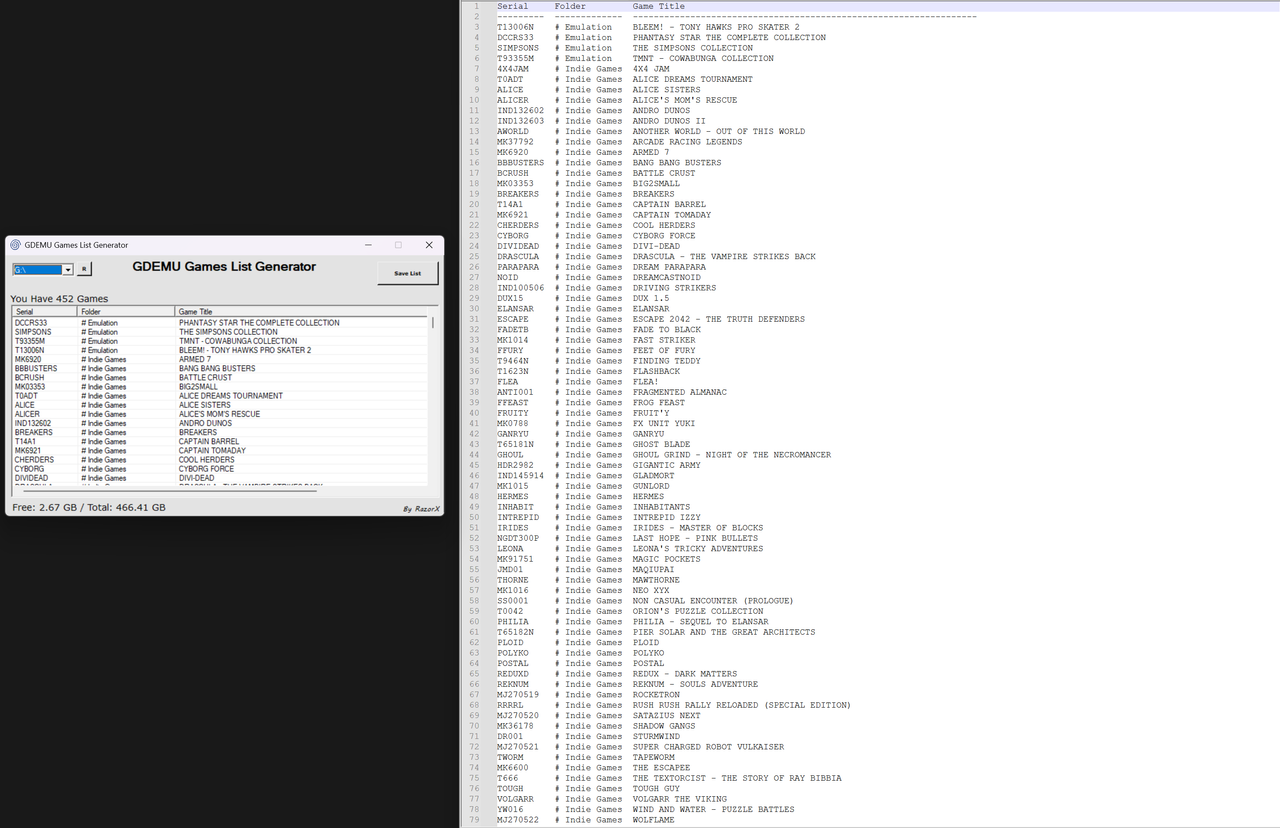
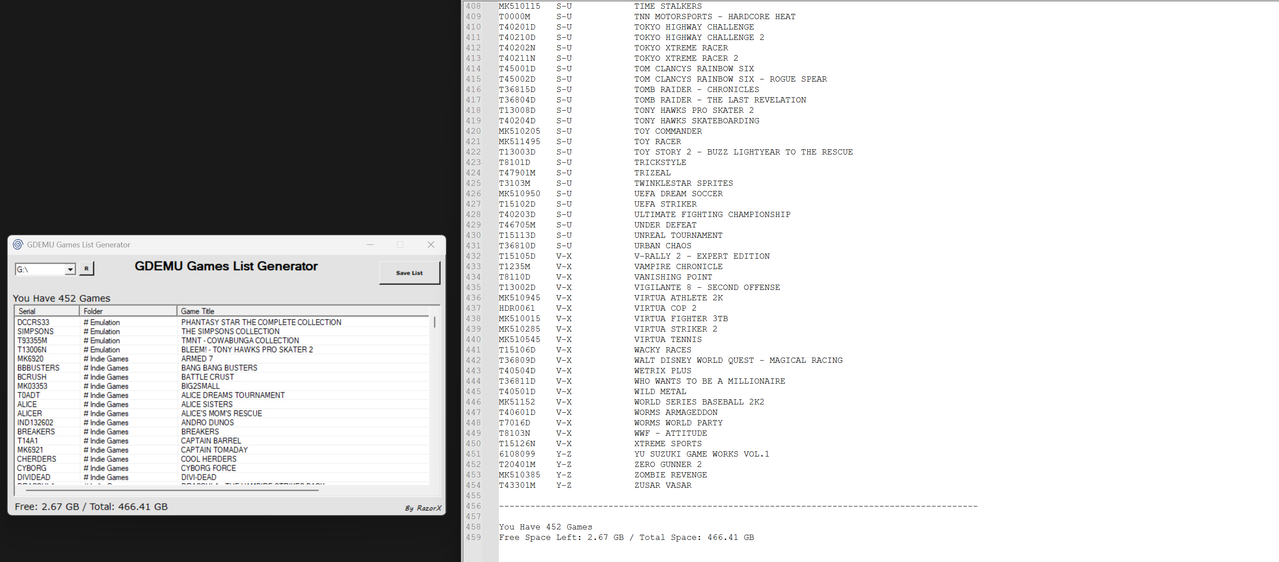
  • A user by the name of MoeFoh requested i update my GDEMU Games List Generator to show folder etc, So i have remake the whole thing much better 😀

GDEMU_Games_List_Generator_1.png


GDEMU_Games_List_Generator_2.png
 
Update (22/01/2026)

  • A user by the name of MoeFoh requested i update my GDEMU Games List Generator to show folder etc, So i have remake the whole thing much better 😀
This is great, actually!

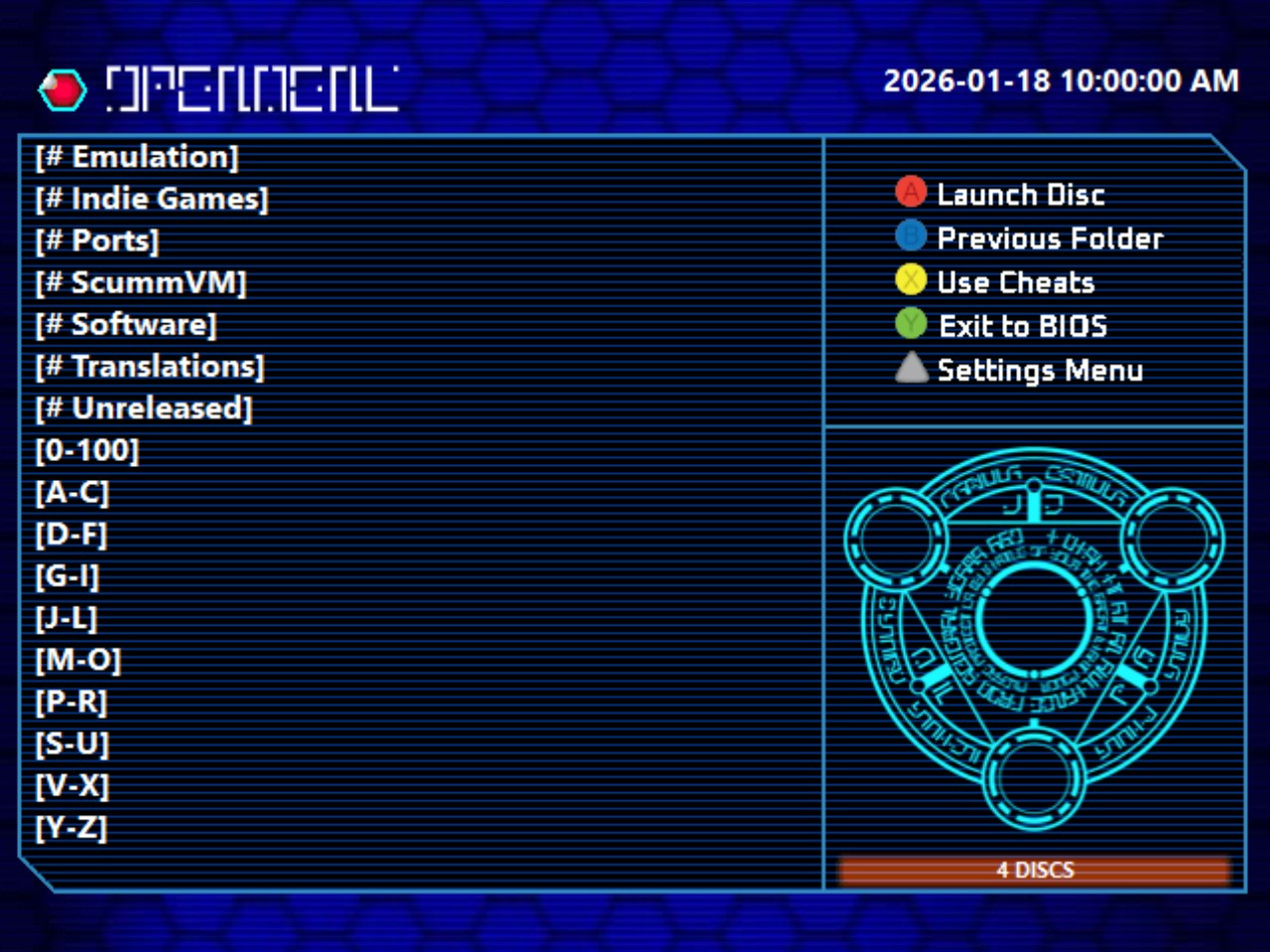
One little bug I found. If you load a card in the app, then press R and select your card again after, the games list is invisible in the app. It still states the number of games, but there is no list of games.

Just thought you might want to check that out~

Screenshot 2026-01-23 082809.png
 
Back
Top